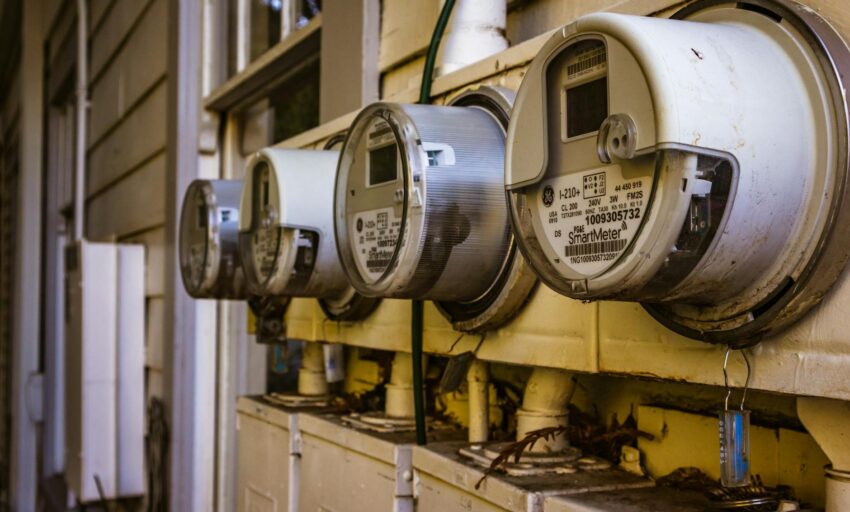
You can shave a noticeable chunk off your electric bill once you stop guessing which appliances are quietly chewing watts in the background. A good electricity usage monitor gives a clear line of sight into actual consumption, whether that’s a refrigerator that spikes at night, a tumble dryer that ruins your budget, or the EV charger eating your off-peak credits. Buyers search for the best electricity usage monitor to compare accuracy, ease of installation, and the level of insight they need — from a simple plug-in meter that tells you how much a single device uses to a whole-home panel monitor that tracks every circuit in real time.
The most common mistake I see is picking a tool that sounds smart but doesn’t fit the job. People grab a cheap plug-in meter when they want whole-house analytics, or buy a panel monitor without realizing it requires a breaker-panel install. What matters most is matching the monitor to the task: portability and plug-and-play convenience for single-appliance checks, clamp-on CT sensors and Wi‑Fi for circuit-level tracking, and reliable app or local reporting if you want to automate savings. Different buyers have different priorities — renters may prefer a Kill A Watt or small plug-in; homeowners with solar or EVs need bi-directional, circuit-aware systems. My top overall recommendation in this roundup is a balanced panel monitor that brings accuracy, app control, and enough channels to separate major loads so you can take immediate action.
If you are short on time, the comparison table below gives a fast overview of the top options and links straight to each in-depth review so you can jump to the one that matches your needs.
Best Electricity Usage Monitor Comparison Table
| Product | Best For | Main Strength | Key Specs |
|---|---|---|---|
| Emporia Vue 3 Home Energy Monitor | Whole-Home, Easy App | 16 branch sensors + real-time app | UL Listed, ±2% accuracy, Wi‑Fi |
| Meross Smart Energy Consumption Monitor | Smart Home & Solar Users | 18-circuit support, Home Assistant friendly | ETL, local data, 5-year storage |
| Refoss Smart Home Energy Monitor | Power Users & Privacy Focus | Local Web UI, Open API, ±1% pro accuracy | 16 branch sensors, ETL, local data |
| SIEMENS Inhab Smart Home Energy Monitor | Pros & Installers | Rigorous certifications and advanced features | Up to 16 circuits, UL Listed, mobile app |
| Eyedro Home Energy Monitor | Solar / Off-Grid Owners | Reliable cloud reporting + net metering support | 2 sensors included, Wi‑Fi/Ethernet |
| Smart Home Energy Monitor (16 Sensors) | Rental Homes & Shared Billing | Per-circuit billing templates and LAN mode | 16 x 50A sensors, 1% accuracy, Wi‑Fi |
| P3 P4400 Kill A Watt | Plug-In Quick Checks | Trusted, simple, accurate for single devices | Plug-in meter, kWh, volts, amps |
| Upgraded Watt Power Meter Plug | Best Value Plug-In | Large backlit display and multiple modes | 7 display modes, memory, overload protection |
| HBN Watt Meter Plug | Small Appliance Monitoring | Compact, 9 display modes, cost calculator | 9 data types, backlit screen, stores data |
If you want more detail on any of these options, the reviews below explain which model suits different homes and budgets and what tradeoffs to expect.
1. Best Overall: Emporia Vue 3 Home Energy Monitor
One reason the Emporia Vue 3 is my top pick is the balance it strikes between ease of install and actionable detail. It clamps into the breaker panel with sensors that let you map major loads like HVAC, dryer, water heater, and EV charger, then sends near realtime data to a polished app. That means you can watch a heat pump cycle, see which circuit spikes when the oven kicks on, and get cost estimates across time-of-use rates without juggling spreadsheets. The inclusion of sixteen branch sensors is a practical win for common U.S. households that want circuit-level visibility without the complexity of professional metering.
In real-world use the Vue 3 is the kind of device you install on a Saturday morning, then sit down with a coffee while watching the app identify your biggest energy hogs. Picture a freezer that hiccups every few hours, or a garage EV charger that draws mid-day solar — Vue 3 surfaces both and gives clear graphs to compare day-to-day habits. For typical homeowners who want fast savings and smart notifications, Emporia’s UL-listed hardware and solid app ecosystem make energy action straightforward rather than academic.
Pros
- True circuit-level visibility with up to 16 branch sensors.
- UL listed hardware and reliable safety certifications.
- Clean mobile and web apps with real-time and historical data.
- Good balance of price, features, and ease of installation.
- Works for solar/net metering and time-of-use planning.
Cons
- One-second live data only when the app is actively open; higher-resolution data lives in-cloud short term.
- Requires comfort working inside an electrical panel or hiring an electrician.
Emporia Vue 3 is aimed at homeowners who want to move beyond guesswork and get immediate, actionable feedback on what to fix. Skip it if you only want to spot-check a single device with a plug-in meter. It performs best where there are multiple large loads to separate and optimize. The Vue app’s scheduling features and compatibility with solar/net metering make it especially useful for households with variable rates or PV arrays.
To buy this product, click here.
2. Best for Smart Homes: Meross Smart Energy Consumption Monitor
For buyers who prioritize integration and privacy, Meross stands out by combining a high channel count with local-control options and Home Assistant support. The unit supports two large mains plus 16 branch circuits, stores years of data, and gives minute-by-minute charts so you can spot anomalous behavior. If your home has solar or you want to use surplus generation to run a water heater or EV charger, Meross’s modes and Home Assistant hooks make automation straightforward and reliable.
I installed a Meross in a house with midday-only solar and used it to route surplus to an old electric water heater during sunny hours; the result was fewer grid exports and a noticeable drop in monthly statements. Another scenario: a landlord used Meross’s alerts to catch a failing pool pump that had doubled its draw overnight. The combination of ETL safety certification, long-term storage, and no-subscription local features makes Meross a good match for privacy-minded smart-home enthusiasts who want both immediate feedback and automation options.
Pros
- Supports 18 circuits for detailed, circuit-level monitoring.
- ETL certified with local data and no subscription fees.
- Home Assistant friendly for advanced automations.
- Smart alerts and exportable reports for long-term analysis.
- Good solar surplus automation features.
Cons
- Panel installation required; not a plug-and-play wall outlet solution.
- Advanced features may be overkill for renters or single-appliance checks.
Meross fits households that already use smart-home platforms or want to take solar self-consumption seriously. Choose Meross if you want deep, private data and automation via Home Assistant. If you only need a simple plug-in meter, this is more power than necessary, but for circuit-level control and smart automations the value is high.
To buy this product, click here.
3. Best for Power Users: Refoss Smart Home Energy Monitor
If your priority is data ownership and pro-level accuracy, Refoss is a standout. It offers a native local Web UI, Open API, MQTT and promises pro-grade ±1% accuracy on branch sensors. That combination is a sweet spot for people who want to host their own analytics, feed values into Home Assistant or other automation hubs, and avoid cloud dependencies. For small businesses, home labs, or privacy-conscious homeowners, the ability to export and analyze five years of data without a subscription is a real advantage.
Imagine an HVAC contractor diagnosing a multi-speed blower by watching minute-by-minute wattage and calling out bad runs before a full breakdown, or a DIY solar owner tuning divert logic to maximize self-consumption. Refoss caters to these hands-on scenarios. The external high-gain antenna and robust UI keep data flowing even in tricky Wi‑Fi environments, and the ETL certification reassures installers that it meets safety expectations for household use.
Pros
- Professional ±1% accuracy on branch circuits.
- Local Web UI and Open API for full data control.
- ETL certified with robust export and long-term storage.
- Good Wi‑Fi stability and flexible integration options.
- No subscription required for detailed history.
Cons
- More technical to set up and extract value from compared with consumer-focused apps.
- Higher upfront complexity for users who want a simple app experience.
Refoss is the pick for tinkerers and pros who want to own their telemetry and integrate it into custom systems. Choose Refoss if you need precise measurements and local control. Skip it if you want plug-and-play simplicity or a consumer app that handles everything for you.
To buy this product, click here.
4. Best for Professionals: SIEMENS Inhab Smart Home Energy Monitor
SIEMENS brings brand trust and a pro feature set to home energy monitoring. Inhab is designed with installers and builders in mind, offering rigorous certification and advanced features such as time-of-use management, peak demand control, and integration with load-shedding devices. It’s the kind of system that sits comfortably in new-construction panels or on retrofits where compliance and reliability matter.
One installer I spoke with used Inhab on a net-zero retrofit project to manage EV charging and water heating schedules around time-of-use rates, keeping demand peaks under utility thresholds. Another homeowner set Inhab alerts to flag an oven left on, avoiding an expensive mishap. This monitor is built to behave in real electrical environments, with vendor support and certification that professional jobs require.
Pros
- Backed by a major electrical brand with good certifications.
- Advanced features for TOU, peak management, and load shedding.
- Circuit-level accuracy and mobile app monitoring.
- Suitable for new builds and professional retrofits.
Cons
- Higher price point aimed at pros and serious homeowners.
- May require professional installation for full capability.
Pick SIEMENS Inhab if you value certified hardware, professional features, and vendor support. It’s an excellent fit for contractors, builders, and homeowners who want a robust, supported solution. If you need something cheap and portable for quick appliance checks, look at plug-in meters instead.
To buy this product, click here.
5. Best for Solar and Net Metering: Eyedro Home Energy Monitor
Eyedro has been a reliable pick for homeowners and small off-grid systems for years. It supports both wired and Wi‑Fi connections, has an easy-to-use MyEyedro cloud service (no subscription), and includes two 200A sensors which makes it convenient for whole-house monitoring or for a grid-plus-solar split. If you want straightforward net metering insight into how much you export versus import, Eyedro’s reporting tools make that practical and accessible.
A common scenario: a homeowner with rooftop panels used Eyedro to confirm midday export and tune a washing schedule to coincide with solar production. Another user deployed it on an off-grid cabin to ensure generator run-times were minimized. Eyedro’s long track record and simple reporting make it a comfortable choice for people who want dependability without steep technical overhead.
Pros
- Good for solar monitoring and net metering situations.
- Includes two 200A sensors and supports Wi‑Fi or wired Ethernet.
- No subscription required for cloud reporting.
- Proven, stable platform with strong customer support history.
Cons
- Single unit can’t simultaneously separate grid and solar without additional meters in some setups.
- Less emphasis on advanced automation compared with Home Assistant-centric systems.
Eyedro is ideal for homeowners who want clear solar and whole-house insights without wrestling with cloud lock-in or complicated integrations. It’s great for off-grid or PV-equipped homes that need dependable reports and easy setup. If your priority is heavy automation or open APIs, you’ll want a more hackable option like Refoss or Meross.
To buy this product, click here.
6. Best for Rental Homes: Smart Home Energy Monitor with 16 50A Circuit Level Sensors
Landlords and shared houses need clear per-unit billing and the SEM-Meter-like systems deliver that. This monitor supports 16 branch sensors and offers bill-allocation tools and customizable rate templates, which simplifies splitting utilities fairly across tenants. It also offers a privacy-minded super mode to run on LAN with MQTT for deployments that cannot rely on cloud connectivity.
Consider a house-share where one room runs a server cluster and another has only light loads. With this monitor you can assign circuits to rooms and generate transparent invoices. Another use case is an Airbnb manager who wants to monitor hot tubs and HVAC systems remotely. The exportable history and per-circuit dashboards let property managers pinpoint who’s responsible for spikes and enforce fair billing.
Pros
- Designed for per-circuit billing and rental allocation.
- High channel count and 1% accuracy for precise invoicing.
- LAN-only privacy mode via MQTT for on-premise control.
- Exportable history and multi-rate templates for precise accounting.
Cons
- Requires panel access and some electrical familiarity to install.
- Some advanced features need technical setup or third-party tools.
This monitor is a practical choice for landlords, roommate houses, and co-living spaces that need clean billing and accountability. It’s less suitable for renters without panel access or for someone who just wants to check the energy of a single appliance. For property managers who need traceable billing, it pays back quickly in clarity and fairness.
To buy this product, click here.
7. Best Budget Plug-In: P3 P4400 Kill A Watt Electricity Usage Monitor

For anyone who wants immediate answers without opening a panel, the Kill A Watt remains the classic choice. It plugs into a wall outlet and your appliance plugs into it. You get volts, amps, wattage, and cumulative kWh, with simple controls and reliable accuracy for single-device audits. It’s the perfect tool for testing TVs, space heaters, window AC units, or power strips before you commit to replacements or behavioral changes.
A quick anecdote: someone used a Kill A Watt to discover an entertainment center draw that persisted with the TV off because of an always-on AVR. Unplugging that device and moving it to a power bar fixed phantom loads and cut wasted standby usage. Another scenario is a renter checking an old mini-fridge before signing a lease. The Kill A Watt gives practical, readable numbers with virtually zero setup time.
Pros
- Extremely simple and portable; plug-and-play testing.
- Accurate for single-device kWh and instantaneous watt readings.
- No app, no setup, and easy for anyone to interpret.
- Durable, proven product with a long track record.
Cons
- Only monitors devices that plug into it; not suitable for whole-house insight.
- No network features or advanced analytics.
Choose the Kill A Watt if you need fast, tangible answers about a single appliance or to hunt down standby loads. It’s the least technical and often the most useful first tool in an energy-savings kit. If you want circuit-level tracking or automation, pair it with a panel monitor.
To buy this product, click here.
8. Best Value Plug-In: Upgraded Watt Power Meter Plug Home Electrical Usage Monitor

If you want a lot of features without complexity, this upgraded plug-in watt meter offers multiple display modes, a large backlit screen, overload protection, and memory that retains cumulative data. It reads watts, kWh, volts, amps, frequency, power factor and even allows you to enter your unit cost for on-screen running totals. That mix makes it very useful for appliance-by-appliance audits when you want more readable data than a tiny display usually provides.
I used this style of meter to compare two vintage fridges in a garage sale experiment; the large backlit display made it easy to record wattage while hauling boxes, and the cost calculator gave a clear estimate of annual running costs. Another homeowner liked the adjustable backlight and long data memory because it allowed overnight tracking without babysitting the device. For the price-conscious buyer who still wants clarity and a helpful feature set, this is a sensible pick.
Pros
- Large, easy-to-read backlit display with multiple modes.
- Memory function and cost calculation for practical comparisons.
- Overload protection and adjustable backlight settings.
- Simple to use and portable for device-level audits.
Cons
- Plug-in format limits use to single-device monitoring.
- Not as precise or integrated as panel-based systems.
This monitor is ideal if you want a capable, portable meter with a readable display and handy cost features. It’s the best value for people who want more insight than the simplest plug-ins provide but don’t need the complexity of a panel monitor. If you have many circuits to monitor or want cloud analytics, step up to a panel solution.
To buy this product, click here.
9. Best Simple Appliance Monitor: HBN Watt Meter Plug

This compact plug-in meter covers the bases for everyday appliance checks with a 9-mode display and a clear backlit LCD. It reads apparent power, kWh, runtime, voltage, current, power factor, and cost, and stores non-real-time data so brief outages don’t wipe your totals. The small size makes it easy to test lamps, chargers, and small kitchen gadgets without blocking the second outlet on a duplex wall plate.
A roommate once used a meter like this to find that a space heater was actually burning three times the energy claimed in the ad; swapping to a modern, efficient model cut the bedroom heating cost considerably. Another use is a photographer comparing battery charger draws across brands to minimize wasted standby drain on studio shelves. The HBN is a compact, inexpensive way to add data to those everyday decisions.
Pros
- Compact, easy to move between outlets and devices.
- 9 display modes give a rounded picture of device behavior.
- Saves non-real-time data through brief power interruptions.
- Simple cost calculator for quick comparisons.
Cons
- Backlight turns off quickly to save meter energy, which can be inconvenient.
- Not designed for high-power or whole-home monitoring.
Buy the HBN if you want a small, reliable meter for everyday checks and cost comparisons on portable appliances. It’s ideal for renters, students, and anyone who wants a no-fuss way to identify wasteful devices without changing house wiring. If you need automation or whole-home visibility, move up to a panel monitor.
To buy this product, click here.
Best Electricity Usage Monitor FAQ
Do I need an electrician to install a panel-based energy monitor?
Panel monitors clamp onto existing conductors and many DIYers can install them safely if they are comfortable working with the panel and follow safety procedures. That said, if you are unfamiliar with breaker panels or local code requirements, hiring a licensed electrician is the safer and sometimes required route. Plug-in meters require no electrician at all.
How accurate are consumer energy monitors compared with utility meters?
Accuracy varies by device. Good panel monitors often claim ±1 to ±2 percent on measured circuits, which is close enough for planning and savings decisions. Plug-in meters are typically accurate for device-level reads but don’t represent whole-house totals. Utility meters are the billing standard and can be more precise, but modern consumer monitors are usually accurate enough to identify big savings opportunities.
Can these monitors measure solar production and net export?
Yes. Many panel monitors support bi-directional measurement to track grid import and export, making them suitable for solar homes. Some require two sensors or a special wiring setup to separately measure generation and consumption; check each product’s solar/net metering support before buying.
What’s the difference between a plug-in meter and a clamp-on panel monitor?
Plug-in meters are portable and monitor a single appliance via an outlet; they are excellent for quick audits. Clamp-on panel monitors install at the breaker panel and measure whole-house or circuit-level power continuously. Choose the plug-in for simplicity and the panel monitor for comprehensive insights and automation.
Do I need Wi‑Fi or a cloud account for useful data?
Not always. Some monitors store data locally and expose it via a Web UI or MQTT, which is preferred for privacy and automation. Others rely on cloud apps for history and alerts. If you want remote access and polished graphs, Wi‑Fi/cloud features are helpful; if privacy or outage resilience matters, prefer local-first solutions.
Can these devices help reduce my electric bill right away?
Yes. Simple steps like unplugging high-standby devices identified by a plug-in meter or rescheduling major loads based on panel monitor data often produce immediate reductions. Typical savings range from small single-digit percent improvements to double-digit savings when HVAC inefficiencies or misbehaving appliances are corrected.
How many circuits should I monitor to be useful?
If you want to find the biggest opportunities quickly, start with the mains plus 4–6 major loads: HVAC, water heater, dryer, oven, EV charger, and refrigerator. For detailed analysis or rental billing, 16 or more branch sensors give a clearer, per-circuit breakdown.
Are these monitors safe to use with modern breaker panels?
Choose devices with ETL, UL, or equivalent certifications for peace of mind. Certified monitors meet safety standards for electrical devices and are designed to be installed safely in residential panels when guidelines are followed.
Final Verdict
For most homeowners who want a practical step up from guesswork, Emporia Vue 3 is the best overall pick. It strikes a sensible balance between ease of installation, circuit-level visibility, and a clean app experience that surfaces savings opportunities without overwhelming you. If you’re in the smart-home ecosystem and want local automations with Home Assistant, Meross and Refoss are compelling choices for privacy and automation power. SIEMENS Inhab is the go-to for pros and certified installations, while Eyedro remains a dependable option for solar and off-grid monitoring.
For renters or anyone looking for a quick win, plug-in meters like the Kill A Watt, the Upgraded Watt Power Meter Plug, and the HBN Watt Meter Plug give immediate, tangible data at minimal cost and zero installation. The rule of thumb when buying: match the monitor to the job. Start small if you need a quick appliance check. Upgrade to a panel monitor if you want continuous, circuit-level insight and the ability to automate savings. With the right tool in place, you’ll be able to see what’s actually costing you money and act on real evidence rather than hunches.