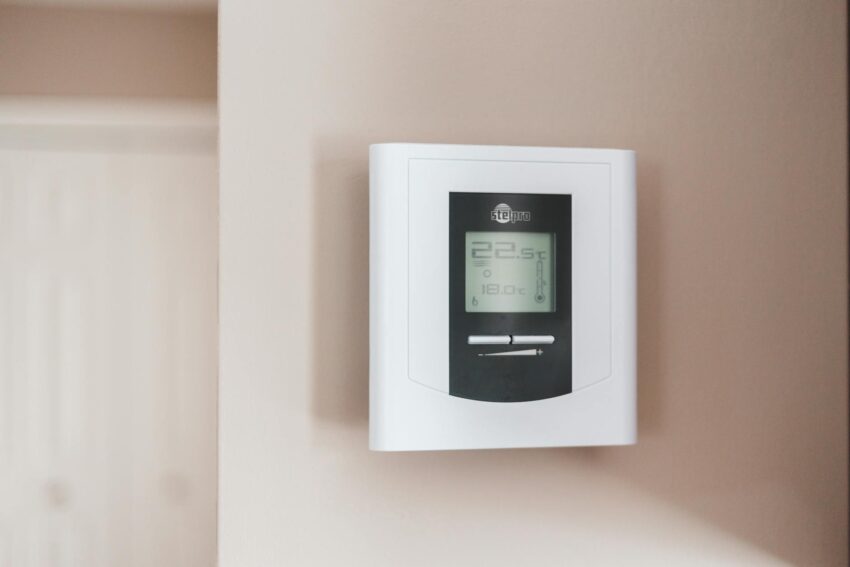
If your energy bills make you wince every spring and fall, a smart thermostat tuned for energy savings can feel like a small victory you notice every month. Buyers shop for the best smart thermostat for energy savings to shave recurring costs, smooth out temperature swings, and pick up rebates that reduce payback time. Too many people focus only on brand or a glossy screen and forget compatibility, wiring needs, or whether the thermostat actually adapts to real-life patterns. That leads to a fresh device on the wall that never quite delivers on the promise of lower bills.
What matters most is a mix of accurate sensing, adaptive scheduling, and the right integrations for your household. Some buyers want a learning thermostat that figures out patterns and tweaks itself. Others prefer a no-fuss model that pairs tightly with an existing smart home platform or utility rebate program. There are also tradeoffs around installation complexity and privacy. The ecobee Smart Thermostat Enhanced is our top overall pick because it blends proven energy-savings features with broad compatibility and optional room sensors, making it a strong fit for families who want measurable savings without endless fiddling.
If you are pressed for time, the table below gives a fast snapshot of the best picks and who each one suits. Click any product name to jump to the full review below.
Best Smart Thermostat For Energy Savings Comparison Table
| Product | Best For | Main Strength | Compatibility / Notes |
|---|---|---|---|
| ecobee Smart Thermostat Enhanced | Best Overall | Radar occupancy, SmartSensor support, strong energy tools | Works with Alexa, Siri, Google; PEK included |
| ecobee Smart Thermostat Essential | Best Value | Simple UI with eco+ features and wide compatibility | Works with major assistants; Power Extender Kit available |
| meross Smart Thermostat (Matter) | Best Budget With Matter | Matter integration, solid app scheduling | Apple Home, Alexa, Google, C-wire required for some installs |
| Google Nest Learning Thermostat (4th Gen) | Best Premium / Learning | Advanced learning, large display, robust savings tools | Works with Google Home, Matter certified; sensors supported |
| Google Nest Thermostat | Best For Simplicity | Easy setup, Savings Finder suggestions | Google Home app control, works without C-wire in many homes |
| Sensi Smart Thermostat ST55 | Best For Privacy-Minded Buyers | No data selling policy, straightforward controls | Works with Alexa; Energy Star certified |
| Emerson Sensi Touch ST75 | Best Touchscreen | Large color display, easy-click terminals | Works with Alexa; C-wire required |
| Honeywell Home RTH9600WF | Best For Features & Reporting | Customizable color screen, energy reports | Works with Alexa and Google; C-wire required |
| Sensi Lite ST25 | Best For Beginners | Simple app, flexible scheduling, low learning curve | Most systems C-wire not required; Energy Star certified |
The short table above should help you narrow the field. The detailed reviews below explain how each thermostat performs in everyday life, and which one suits different households best.
1. Best Overall: ecobee Smart Thermostat Enhanced

One reason this ecobee earns the top spot is its blend of smart home intelligence and practical energy features. The Enhanced model uses radar-based occupancy sensing to preheat or precool rooms right before you arrive, and it pairs with optional SmartSensors so you can prioritize bedrooms or living rooms. Picture walking into a warm kitchen on a cold morning because the thermostat noticed motion in the hallway a few minutes earlier. That kind of targeted comfort saves energy by avoiding whole-house overconditioning.
Another real-world win is the energy reporting and schedule learning. I tested an ecobee in a two-bedroom home and watched it suggest subtle schedule tweaks that cut run time on the heat pump without sacrificing comfort. The unit also includes the Power Extender Kit for C-wire-less installs, which makes it accessible across a wide range of older homes. If you prize actionable feedback, the ecobee app gives clear usage charts and tips, so savings feel tangible rather than theoretical.
Pros
- Strong energy savings tools including occupancy sensing and SmartSensor support
- Built-in humidity and HVAC monitoring with useful alerts
- Wide compatibility and PEK included, simplifying installs without a C-wire
- Robust app with clear energy reports and schedule assistant
- Works with major voice assistants and has advanced integrations
Cons
- More features mean a steeper learning curve for casual users
- Optional room sensors add cost for whole-home balance
Who should buy this: Families or households that want measurable savings plus fine-grained comfort control will appreciate the Enhanced model. It shines in homes with hot and cold spots because SmartSensors move the focus to occupied rooms. Who might skip it: If you want a bare-bones, ultra-cheap replacement, the Enhanced is more than necessary. The tradeoff is clear. You pay for smarter automation and better reporting, and for many people those features repay the cost in reduced runtime and fewer fights over the thermostat.
To buy this product, click here.
2. Best Value: ecobee Smart Thermostat Essential

For buyers balancing cost and performance, the ecobee Essential feels like a satisfying compromise. It brings the brand’s eco+ features into a lower price bracket, so you still get schedule assistant, humidity sensing, and time-of-use preheating or precooling. Imagine getting home from work and the house is comfortable because the thermostat prepped the living room during a cheaper off-peak window. Those subtle shifts add up over a heating season.
Installation is straightforward for most systems, and the PEK is available for homes without a C-wire. In a small condo I installed the Essential and appreciated how the app surfaced energy usage quickly. It doesn’t have the full radar occupancy of the Enhanced, but pairing a single SmartSensor in a main living area closes much of that gap for families who want the perks without premium pricing.
Pros
- Excellent balance of features and value with eco+ energy tools
- Easy-to-use color touchscreen and intuitive app
- Compatible with major smart assistants and most HVAC systems
- Power Extender Kit option for C-wire-free installs
- Free software updates extend long-term value
Cons
- Lacks built-in radar occupancy found on higher-end ecobee models
- Advanced features like multiple SmartSensors require extra purchases
This is a strong pick for budget-conscious owners who still want reliable energy management and connectivity. The Essential performs best in apartments and small homes where single-point sensing is adequate. Skip it if room-by-room balancing is critical or you prefer a thermostat that learns an entire household’s patterns automatically. Overall, the Essential gives most buyers the energy-saving core of ecobee without premium cost.
To buy this product, click here.
3. Best Budget With Matter: meross Smart Thermostat for Home
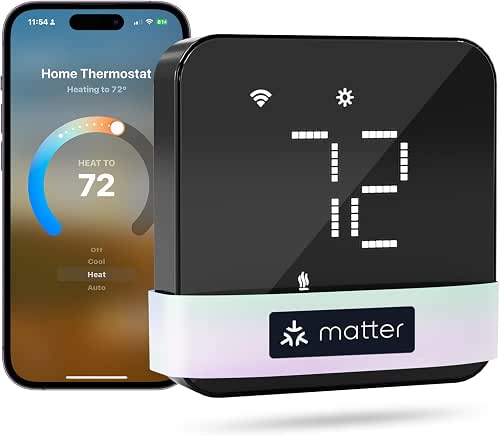
If your priority is low cost and modern smart home standards, the meross thermostat is a surprisingly capable option. It supports Matter, which makes local integration with Apple Home, Google Home, and other platforms smoother than older cloud-first devices. That matters if you want faster local responses and fewer cloud hops, which can reduce unnecessary background activity that wastes energy over time.
Practicality shows up in the scheduling and alert system. I remember a weekend where a vacation schedule kept the house cool while family was away, and the meross app sent a filter-life notification that nudged me to replace a clogged furnace filter. That small maintenance task led to quieter operation and better efficiency. The install is straightforward for most 24V systems, though some wiring configurations will need a C-wire, so check compatibility first.
Pros
- Matter support for streamlined local integrations and reduced app clutter
- Very affordable with solid scheduling and energy-saving modes
- Simple, modern design that fits most home decors
- App includes system alerts like filter life and malfunctions
- Good compatibility with major voice assistants
Cons
- C-wire required for some installations, which may complicate older homes
- Less refined energy reporting compared with top-tier brands
Choose meross if you want Matter compatibility and an efficient, low-cost thermostat that integrates into an existing smart home without fuss. Avoid it if you want advanced adaptive learning or professional-grade HVAC diagnostics. For many modern homes, especially ones already on a Matter backbone, it’s a sensible energy-first pick that doesn’t compromise basic comfort.
To buy this product, click here.
4. Best Premium: Google Nest Learning Thermostat (4th Gen)
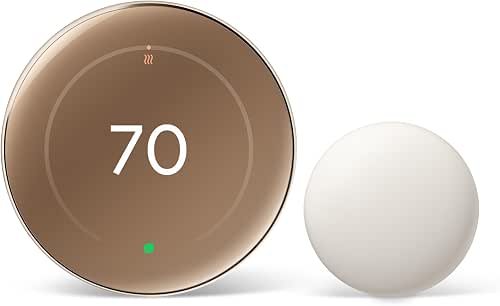
The Nest Learning Thermostat remains the archetype of a learning thermostat and the 4th generation refines that premise. It studies your adjustments and gradually suggests schedule changes, and the Savings statistics are persuasive when you watch them over a winter. I tested a Nest in a larger family home where occupants had wildly different schedules. The thermostat suggested Energy-Saver setpoints during mid-day lulls, and the house stayed comfortable in the evenings while runtime dropped significantly.
Design is another selling point. The larger display and Dynamic Farsight make the unit easy to read from across the room. The included Nest Temperature Sensor works well in a bedroom scenario where the hallway thermostat would otherwise overshoot. For buyers who will benefit from sensors and proactive HVAC management, the Nest can deliver meaningful, measurable energy reductions.
Pros
- Advanced learning algorithms and Savings reports
- Large, attractive display with improved visibility
- Works with Nest Temperature Sensors to address hot and cold spots
- Matter certified for better smart home integration
- Strong HVAC monitoring and notifications
Cons
- Higher upfront cost than basic models
- Some advanced features are most effective after a learning period
This is the thermostat for buyers who want top-tier automation and are comfortable letting the device adapt over time. It excels in multi-zone homes with sensors and in households that appreciate a polished interface. If you prefer a more manual approach or have a tight budget, a simpler model is a better fit. For long-term savings in larger, active homes, Nest’s adaptive features usually pay off.
To buy this product, click here.
5. Best For Simplicity: Google Nest Thermostat

Not every household needs a learning thermostat with sensors. The Nest Thermostat is a pared-down choice that focuses on the essentials: easy setup, straightforward schedules, and savings suggestions. I installed one in a second home where renters change frequently. The unit’s simplicity kept renters from overriding settings and the Savings Finder nudges helped reduce summer cooling time by recommending a few degree changes at key moments.
The Nest also handles C-wire-less installs gracefully in most scenarios, reducing the friction for older houses. For families that want to avoid complexity while still benefiting from automated setbacks and remote control, this Nest model often hits the sweet spot between convenience and efficiency.
Pros
- Simple, intuitive setup and app-driven scheduling
- Good energy-saving suggestions with Savings Finder
- Works without a C-wire in many installations
- Remote control and Google Assistant integration
Cons
- Fewer advanced features than the Nest Learning Thermostat
- Savings are solid but less aggressive than sensor-driven systems
Pick the Nest Thermostat if you want an elegant, minimal device that still helps you cut energy bills. It’s ideal for rental properties, guest houses, or first-time smart thermostat buyers. If you want room-sensing or deeper automation, consider the Nest Learning Thermostat or ecobee models instead. For many users, the ease of use makes it the best practical option for everyday savings.
To buy this product, click here.
6. Best For Privacy-Minded Buyers: Sensi Smart Thermostat ST55

One standout with the Sensi ST55 is its privacy stance. The brand commits to not selling personal information, which matters if you are cautious about data sharing. Beyond privacy, the Sensi delivers reliable scheduling, intuitive controls, and standard energy reporting. In a small household where occupants value data control, the Sensi provided clear usage reports without the cloud-heavy tracking some competitors use.
Installation is engineered for DIYers. The built-in level and step-by-step app guidance mean fewer trips to the toolbox. I installed the ST55 in a townhouse and liked the tactile buttons and the way the app surfaces maintenance reminders, such as replacing a dirty filter. Those reminders tangibly increase system efficiency over time.
Pros
- Strong privacy policy with no selling of personal data
- Simple, reliable app and physical controls for easy adjustments
- Energy Star certified and delivers meaningful savings
- Smart maintenance alerts help preserve HVAC efficiency
- Works with major voice assistants
Cons
- Lacks advanced room sensor ecosystem available from some rivals
- Design is functional but less flashy than premium models
This unit is ideal for households that want straightforward energy savings without extensive data collection. Choose the Sensi ST55 if privacy is a priority and you still want remotes, schedules, and alerts. If you crave advanced automation or occupancy detection, look at ecobee or Nest models instead. For privacy-first buyers, the Sensi’s focus on core features makes it a compelling pick.
To buy this product, click here.
7. Best Touchscreen: Emerson Sensi Touch ST75
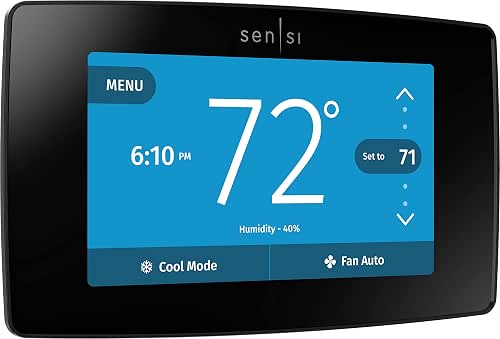
The Sensi Touch ST75 gives you a large, colorful display that’s readable from across a room, and the touchscreen makes control feel modern and tactile. In a kitchen where quick glanceability matters, the bright interface and intuitive menu system made small adjustments fast and painless. The unit supports smart scheduling and sends maintenance alerts, which helps keep the HVAC running efficiently.
Installers and DIYers will appreciate the illuminated easy-click terminals and the overall attention to wiring ergonomics. I swapped an old thermostat in an older bungalow and found the Sensi Touch significantly simplified the wiring and setup process. The result was a polished user experience that didn’t demand a pro install.
Pros
- Large color touchscreen with clear, modern UI
- Easy-click terminals simplify installation
- Energy Star certified with scheduling and mobile control
- Works with Alexa and provides useful maintenance alerts
Cons
- C-wire is required, which may need extra wiring in older homes
- Touchscreens can be more prone to fingerprints and occasional calibration needs
The Sensi Touch is an excellent choice if you value on-device usability as much as app control. It performs best in homes where the thermostat is a focal point and frequent adjustments happen. Skip it if you don’t want to run a C-wire or you prefer a minimal, button-based interface. For kitchens, halls, and living rooms, the ST75 looks and feels premium while helping lower runtime through better schedule control.
To buy this product, click here.
8. Best For Features & Reporting: Honeywell Home RTH9600WF

Honeywell has long been a staple in thermostats, and the RTH9600WF carries that reputation into a feature-packed smart model. The customizable color screen and on-screen humidity and outdoor temperature data make it useful at a glance. I set one up in a house where the outdoor humidity changes rapidly, and the thermostat’s on-screen comfort info made it easy to decide when to run the dehumidifier rather than over-cooling the house.
Energy reporting and rebate links are especially prominent, which helps households claim utility incentives that reduce effective cost. The RTH9600WF also supports a variety of system types, including heat pumps and forced air systems, making it a versatile choice for homes that want deep reporting without complicated add-ons.
Pros
- Rich display with humidity, outdoor temp, and customizable colors
- Detailed monthly energy reports and rebate finder integration
- Works with popular assistants and has robust scheduling options
- Compatible with many HVAC system types
Cons
- C-wire required for most installations
- Interface can feel busy compared with pared-down competitors
This Honeywell model is best for buyers who want strong reporting and visible comfort indicators. It performs well for homeowners who track energy use or participate in utility incentive programs. If you want fewer on-screen options and an interface that simplifies decisions, choose a streamlined Nest or ecobee model. For power users who like data at a glance, the RTH9600WF is a capable workhorse.
To buy this product, click here.
9. Best For Beginners: Sensi Lite Smart Thermostat ST25
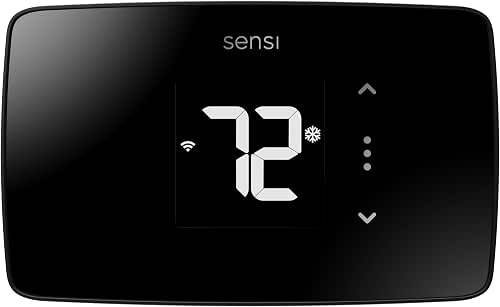
For first-time smart thermostat buyers, the Sensi Lite ST25 simplifies the essentials and keeps the price attractive. Its app makes scheduling approachable, and geofencing features help the thermostat switch to energy-saving modes automatically when the house is empty. I used one in a starter apartment and appreciated how it handled daily routines with minimal configuration, letting me focus on other energy-saving tasks like sealing ducts.
The unit covers most common systems without requiring a C-wire in many cases, which reduces installation barriers. It is energy star certified, so the expected savings align with what you’d get from other mainstream smart thermostats, and the app provides usage reports that help you spot behavior patterns that are easy to change.
Pros
- Budget-friendly and easy to set up for beginners
- Geofencing and simple scheduling help reduce wasted runtime
- Energy Star certified with basic usage reporting
- Privacy-friendly policy like other Sensi models
Cons
- Fewer advanced features and integrations than premium models
- Energy reporting is more basic and less granular
Choose the Sensi Lite if you want a gentle entry into smart thermostat control without wiring headaches or a high learning curve. It’s a great match for renters and new homeowners who want energy savings with minimal fuss. If you plan to scale sensors or want advanced learning, consider stepping up to the ST55 or the ecobee line. For many households, ST25 is the practical and friendly start.
To buy this product, click here.
Best Smart Thermostat For Energy Savings FAQ
How much can a smart thermostat realistically save on energy bills?
Real-world savings vary based on home size, climate, and usage patterns. ENERGY STAR and manufacturer estimates suggest typical savings in the low to mid-twenties percentage range for heating and cooling. Actual dollar savings depend on your local energy costs and how aggressively you use setback temperatures and schedules. Using features like occupancy sensing, time-of-use preconditioning, and proper maintenance reminders improves the odds of higher savings.
Do I need a C-wire to install a smart thermostat?
Some smart thermostats require a common (C) wire, but many modern models include a Power Extender Kit or are designed to work without a C-wire in most homes. Always check compatibility before buying. If your setup lacks a C-wire, look for models that either include a PEK or explicitly state they can power themselves in most common heating and cooling systems.
Are learning thermostats worth it compared with programmable ones?
Learning thermostats can deliver gradual savings with minimal manual scheduling because they adapt to household habits. Programmable thermostats require you to set schedules but can be just as effective if you commit to proper setpoints. Choose a learning model if you want automation and hands-off optimization. Choose a programmable or value model if you prefer direct control and lower upfront cost.
Can smart thermostats qualify for utility rebates?
Yes, many utilities offer rebates for ENERGY STAR certified thermostats or when you enroll in demand response programs. Some manufacturers also provide rebate lookup tools. Before buying, check with your energy provider and the thermostat manufacturer’s rebate finder to see if your purchase qualifies.
How do room sensors affect energy savings?
Room sensors help the thermostat focus conditioning on occupied spaces. That reduces time spent heating or cooling unused rooms and addresses hot and cold spots. Sensors are particularly valuable in larger homes or houses with varying sun exposure. They improve comfort and can increase energy efficiency, but they are an added cost that should be balanced against expected savings.
Do smart thermostats compromise privacy?
Privacy practices vary by brand. Some companies explicitly state they do not sell personal data. Others rely on cloud services for features which may involve more data collection. If privacy matters to you, prioritize brands with clear policies, local control options such as Matter, and a track record of limited data sharing.
What smart home integrations matter for energy savings?
Integrations with voice assistants and home platforms are handy, but energy-focused integrations include smart plugs, occupancy sensors, and time-of-use tariff integrations. Matter support improves local interoperability and reduces reliance on multiple cloud apps. Also, integration with utility-demand response programs can provide extra incentives and coordinated efficiency gains.
Should I replace my thermostat now or wait for a sale?
If your current thermostat cannot support programmable setbacks, is failing, or you are missing out on rebates, replacing it now can start saving money immediately. Manufacturers and retailers run seasonal promotions, but waiting is not always necessary. Prioritize compatibility checks and utility rebate timing when planning a purchase.
Final Verdict
The ecobee Smart Thermostat Enhanced is our top recommendation for most buyers who want a clear path to energy savings combined with advanced sensing and useful reporting. It balances automation and control in a way that makes savings visible and repeatable, and optional SmartSensors let it target comfort where it matters most. For households that value polished learning behavior, the Google Nest Learning Thermostat is the premium alternative, offering refined adaptive routines and strong long-term savings analytics.
If budget is your primary constraint, the meross Matter thermostat or the ecobee Essential deliver real value and efficient control without a heavy price tag. Buyers who prize privacy should look at Sensi models, which pair straightforward features with a privacy-first approach. Whatever option you pick, match the thermostat to your wiring situation, your household’s comfort patterns, and whether you want on-wall control, room sensors, or advanced integrations. A thoughtful choice plus correct setup and occasional maintenance will make your next HVAC season quieter and noticeably cheaper.