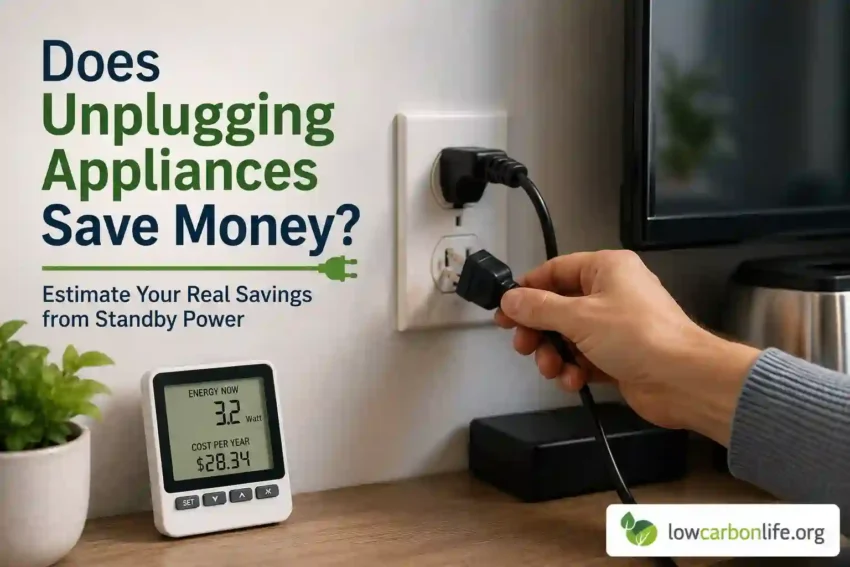
Many people notice a jump in their electricity bill and start asking a simple question: does unplugging appliances save money? The short answer is yes, but how much you save depends on which devices you unplug, how often they draw power while “off,” and what you use instead of leaving them plugged in. This guide walks through realistic numbers, simple tests you can run at home, and practical strategies you can use today to lower your bill without unnecessary effort.
Does unplugging appliances save money? Quick answer and practical perspective
Yes. Unplugging devices that draw standby or idle power reduces electricity use and lowers bills. However, not all unplugging is equally useful. Small items like phone chargers draw tiny amounts, while always-on electronics such as cable boxes and DVRs can add dozens of dollars per year. The goal is to target the highest standby loads first and use convenient tools so energy-saving habits stick.
What are standby loads and why they matter
Standby power is the electricity a device uses when it appears to be off or idle. People call it phantom power, vampire power, or ghost load. Standby functions include clocks, remote control receivers, network connections, updates in the background, and quick-start features.
Most modern electronics are very efficient in active use compared with older models, but many of them are always connected. A few watts each across multiple devices add up. Understanding how many watts a device uses while idle and how long it stays idle will tell you whether unplugging or switching it off is worth the effort.
How to estimate savings: a simple method anyone can use
Use this quick math to estimate annual standby cost before unplugging anything:
- Find the device’s standby power in watts. If you do not have a meter, use a reasonable range from the table below.
- Multiply watts by 24 hours and then by 365 days: watts × 24 × 365 = watt-hours per year.
- Divide by 1,000 to get kilowatt-hours per year (kWh/year).
- Multiply by your electricity rate in dollars per kWh.
For a quick rule of thumb: 1 watt of continuous power equals about 8.76 kWh per year. At $0.15 per kWh that is roughly $1.31 per year per watt. Use your local utility rate for a more accurate estimate.
Typical standby power and annual cost estimates
The following table shows common household devices, approximate standby watts, annual kWh, and sample annual cost using a $0.15 per kWh rate. These are typical ranges; actual values vary by model and settings.
| Device | Typical standby (W) | kWh/year (approx) | Annual cost at $0.15/kWh (approx) |
|---|---|---|---|
| Cable box / set-top box | 20–40 W | 175–350 kWh | $26–$53 |
| DVR / TiVo | 20–50 W | 175–438 kWh | $26–$66 |
| Game console (in rest mode) | 5–15 W | 44–131 kWh | $7–$20 |
| Smart TV (standby) | 1–5 W | 9–44 kWh | $1–$7 |
| Wi-Fi router | 6–12 W | 53–105 kWh | $8–$16 |
| Desktop PC (idle with PSU standby) | 2–10 W | 18–88 kWh | $3–$13 |
| Phone charger (idle) | 0.1–0.5 W | 0.9–4.4 kWh | $0.13–$0.66 |
| Microwave clock or coffee maker clock | 1–2 W | 9–18 kWh | $1–$3 |
| Soundbar / stereo (standby) | 0.5–3 W | 4–26 kWh | $0.6–$4 |
Notes: Cable and DVR boxes are among the largest continuous loads in many homes because they often run 24/7. Small items like chargers cost almost nothing individually, but a house full of always-plugged gadgets can add up.
High-impact targets for unplugging or switching off
Focus on devices with higher standby draws and those you don’t need continuously. Here are priorities based on potential savings and ease of action.
Top priorities
- Cable boxes and DVRs. These can be responsible for $30 to $100 per year depending on model and number. Ask your provider for energy-efficient models or switch boxes off when you don’t need recording features.
- Game consoles in rest or instant-on modes. If you leave them in standby, they can use several watts continuously. Fully powering down when not in use saves significantly.
- Old desktop PCs and monitors. Laptops are better at conserving energy, but desktops left plugged in can draw more while idle.
- Home theater receivers and amplifiers. Many have network features that keep them in low-power states constantly.
Lower-impact but worth batching
- Phone and laptop chargers, unless plugged in all the time at many outlets.
- Small kitchen appliance clocks.
- Smart speakers and lights that are on standby, if you rarely use them.
When unplugging is not worth it
Some devices must stay powered for safety, functionality, or convenience. Unplugging them may cause other costs or problems.
- Refrigerators and freezers. These need continuous power to keep food safe. Unplugging for short savings is not safe unless you are emptying or moving the unit.
- Home security systems and smoke detectors. Keep these powered. Battery backups should be maintained.
- Medical equipment. Devices critical to health should not be unplugged.
- HVAC controls and programmable thermostats. Many need standby power to maintain schedules. Save energy directly by adjusting setpoints or improving insulation.
Practical ways to unplug without losing convenience
Unplugging one plug at a time is tedious and hard to maintain. Here are smarter, low-effort options that fit everyday life.
Use power strips and switched strips
A single switched power strip lets you cut power to multiple devices at once. Put the TV, soundbar, game console, and set-top box on one strip. Flip the switch when you know you will not use them for hours or overnight.
Smart plugs and timers
Smart plugs let you schedule or remotely switch devices. They are particularly useful for routers, lights, or holiday decorations. If you want automation, add a smart plug with energy monitoring so you can see the actual savings.
Smart power strips
These strips detect when a primary device turns off and cut power to peripherals. For example, when the TV is off, the smart strip can shut down the game console and soundbar. Buy smart strips with built-in surge protection and clear labeling.
Change settings instead of unplugging
Many devices have energy-saving or low-power modes. Disable instant-on features in game consoles, enable sleep modes on TVs and receivers, and set computers to sleep after a short idle time. For cable boxes, ask your provider to reduce always-on features or replace older equipment.
How to measure actual standby use at home
Before you start unplugging, measure so you can prioritize. Two cheap ways to measure:
- Plug-in usage meter. Devices like Kill-A-Watt are inexpensive and easy. Plug the meter into the wall and then the appliance into the meter. It reports watts and cumulative energy.
- Smart plugs with energy monitoring. These give ongoing reports and let you log consumption daily or weekly.
Measure when the device is idle for a reliable baseline. For devices that cycle on and off, measure over 24 hours to capture an accurate average.
Cost-benefit and payback examples
Smart solutions are often affordable and quick to pay back. Here are realistic scenarios to help decide whether to act.
Example 1: Replacing a cable box
If a cable box uses 30 W continuously and you have one, that is about 263 kWh per year. At $0.15 per kWh, cost is about $39 per year. Replacing it with a 5 W energy-efficient box or turning it off when not in use could save roughly 22 W or about $29 per year. If you pay $100 for an energy-efficient replacement or $40 for a smart power strip that controls it, payback is 1 to 4 years depending on cost and use patterns.
Example 2: Using a $25 smart power strip
Say your TV, receiver, and game console combined draw 10 W when idle. That is about 88 kWh or $13 per year. If the strip eliminates that idle load entirely, the strip pays back in about two years. If you apply the strip to higher loads such as a DVR and cable box, payback is faster.
Example 3: Household-wide small-device strategy
Phone chargers and clock displays might only cost a few dollars each per year, but dozens of devices across a two-adult household could add $30 to $60 per year. Batch reductions with strips and habit changes can bring similar savings to swapping one mid-efficiency appliance.
Practical habits that keep savings consistent
Savings stick when you make actions easy and out of the way of daily life. Try these habits:
- Group entertainment devices on a single switchable strip and power them down nightly.
- Put a smart plug or switch on rarely used devices and create a schedule.
- Label strips and outlets so family members know what turns off and what should stay powered.
- Check device settings for sleep or low-power modes and set shorter idle times.
- Use measurement tools once a year to catch new standby loads as you add gadgets.
Common myths and misconceptions
Households often believe myths about unplugging. Clearing these helps prioritize effort.
Myth: Unplugging every charger is essential
Unplugging chargers reduces a tiny amount of energy. A lone phone charger might cost pennies per year. If you have dozens, the total could matter, but prioritize larger always-on devices first.
Myth: Unplugging a fridge saves a lot
Fridges are major consumers, but turning them off to save on standby is unsafe and counterproductive. Additionally, unplugging and plugging back in forces the compressor to work harder temporarily and may cause food spoilage.
Myth: New devices have no standby power
Manufacturers have improved standby performance, but many smart features require always-on connectivity. Check device manuals and use meters when in doubt.
Safety and other practical considerations
When unplugging or using strips, mind safety and performance:
- Do not overload power strips. Check the strip’s rating and total connected load.
- Keep surge protectors connected for sensitive electronics that remain powered.
- Label strips so users don’t accidentally cut power to DVRs that should record or devices that must remain on.
- Be careful with devices that require a steady power supply for internal clocks or scheduling; a complete power cut may erase settings.
Whole-house strategies beyond unplugging
Unplugging helps, but it is only one piece of a broader efficiency plan. Consider these upgrades for larger savings.
- LED lighting. Replacing incandescent bulbs typically yields immediate, long-term savings.
- Smart thermostats. Adjust HVAC runtime and reduce heating and cooling costs.
- High-efficiency appliances. Replacing old refrigerators, washers, and water heaters can cut major loads.
- Insulation and air sealing. Reducing heating and cooling losses lowers the largest portion of many utility bills.
- Home energy audit. A professional audit reveals the biggest savings opportunities in your home, which may be more cost-effective than small standby reductions.
Tools and products that help you manage standby loads
Here are tools that make it easier to find and eliminate wasted energy without daily effort.
- Plug-in energy meter. Kill-A-Watt-style meters are inexpensive and accurate for single-device measurement.
- Smart plugs with energy reporting. These provide ongoing reports and let you automate shutdowns.
- Smart power strips. Ideal for entertainment centers to cut power to peripherals automatically.
- Home energy monitors. Devices like whole-house monitors provide a dashboard for all electricity use and help you spot phantom loads and unusual consumption.
- Surge-protected switched strips. Combine convenience and device protection in one unit.
How much can a typical household save per year?
Savings vary, but here are three realistic scenarios for typical U.S. households assuming a $0.15/kWh rate. Adjust to local rates as needed.
Conservative case — targeted changes
Turn off or eliminate the standby loads from a single cable box (30 W), a game console (10 W), and a receiver (5 W). Total 45 W continuous removal equals about 394 kWh per year, or about $59 annually. Cost: a $20 smart strip. Payback: immediate to under 1 year.
Moderate case — common household actions
Power down two cable boxes, one DVR, and improve settings on gaming consoles and PCs. That could remove 80–120 W continuous, or roughly 700–1,050 kWh annually. At $0.15/kWh, savings of $105–$158 per year. Cost: $40–$120 in smart strips, smart plugs, or replacement equipment. Payback: 1 year or less in most cases.
Aggressive case — whole-house attention to standby
Measure all devices, replace older pieces where necessary, and automate power cuts for entertainment and office areas. Eliminating 150–300 W continuous standby is realistic in a tech-heavy household. That equals 1,314–2,628 kWh/year or $197–$394 saved annually at $0.15/kWh. Costs vary widely depending on replacements and automation choices, but paybacks on behavior and strip purchases are often under three years.
Behavioral tips that increase success
- Start small and build the habit. Pick one room and install a smart strip or two.
- Make switching off visible. A labeled switch on a strip reminds family members to power down.
- Set a monthly reminder to review new devices and check their standby loads.
- Share results. Measuring and tracking small wins makes it easier to justify larger upgrades.
FAQ: Quick answers about unplugging and saving money
Does unplugging appliances save money if I live in an apartment?
Yes. Renters often have multiple small devices and entertainment setups that draw standby power. Use smart strips and plug-in meters. Avoid unplugging landlord-provided devices like building-controlled thermostats or security systems.
Is it safe to unplug modems and routers nightly?
It is safe if you do not rely on them for always-on services like home security, VoIP phones, or remote work access. Keep in mind some routers take time to reconnect and updates may be missed. If you unplug nightly, choose a schedule where reconnection time does not interfere with your needs.
Do smart TVs use more power than old TVs?
Smart TVs can use a few watts in standby due to their network connectivity. On average, modern LED smart TVs are much more efficient in active use than old plasma or CRT sets. Standby draws are small but add up across multiple devices.
What about devices with internal clocks and schedules?
If a device uses a clock to run timers or records, completely cutting power will require reprogramming. For those devices, consider adjusting schedules or putting peripherals on smart strips instead of unplugging the main unit.
Are there any rebates or programs to help?
Some utilities and manufacturers offer rebates for replacing inefficient set-top boxes or appliances and for purchasing energy-efficient equipment. Check your local utility’s website for rebates on smart thermostats, appliance recycling, or upgrades that reduce major loads.
Final checklist: where to start today
- Measure standby power of your top devices with a plug-in meter or smart plug.
- Put entertainment center devices on a single switched or smart strip.
- Disable instant-on features in game consoles and set TV sleep timers to short times.
- Ask your cable or satellite provider about energy-efficient boxes or return old boxes they left behind.
- Consider a whole-house energy monitor if you want to track and optimize consumption long-term.
Conclusion: does unplugging appliances save money and is it worth doing?
Yes, unplugging appliances can save money, especially when you focus on high-standby devices such as cable boxes, DVRs, gaming consoles, and older electronics. Individual small items like phone chargers save only a few cents each per year, but combined action across a household can be meaningful. The best approach is to measure, prioritize, and use convenient tools like smart power strips and plugs so savings are automatic and sustainable. Unplugging is a practical, low-cost step within a broader efficiency strategy that includes efficient appliances, insulation, and targeted upgrades.