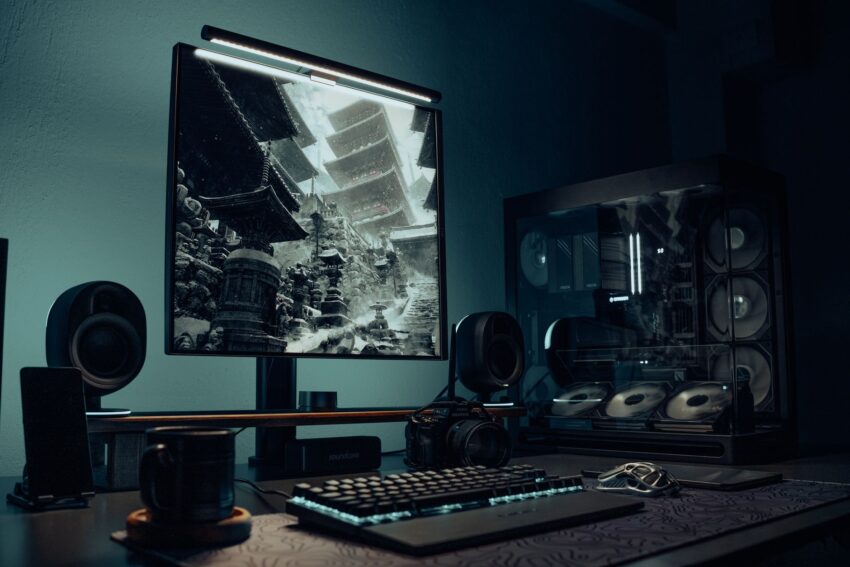
Most people notice their PC’s electricity use only after a surprise utility bill or when the room gets uncomfortably warm during a long gaming session. If you want a short answer up front: how much electricity does a gaming PC use depends on the hardware and what you do with it. Typical desktop gaming systems draw anywhere from about 100 watts when idle to 600 watts or more under heavy load. For many gamers, realistic gaming power sits in the 200 to 450 watt range. Understanding that range makes it easier to estimate costs and find practical ways to reduce usage without sacrificing the experience.
Quick answer: how much electricity does a gaming PC use
If you just want ballpark numbers to plan your monthly bill, here are typical ranges for whole-system power draw during different activities. These figures include CPU, GPU, motherboard, storage, fans, and a single monitor unless noted.
- Idle or light desktop use: 30 to 120 watts
- Light gaming or esports titles: 120 to 250 watts
- Mainstream gaming at 1080p, medium to high settings: 200 to 350 watts
- High-end gaming at 1440p or 4K with powerful GPU: 350 to 600+ watts
- Streaming while gaming or multi-GPU enthusiast rigs: 500 to 1000 watts
To convert watts to cost, multiply kilowatts by hours used and then by your local electricity rate. For example, a 300 watt system running for 4 hours per day uses 0.3 kW × 4 h = 1.2 kWh daily, or about 36 kWh per month. At $0.12 per kWh that costs about $4.30 per month.
What determines a gaming PC’s electricity use
There is no single number because every component and usage pattern affects power draw. Here are the main factors to consider so you can understand and control where the electricity goes.
CPU and GPU are the heavy hitters
The graphics card usually uses the most power while gaming. Modern mid-range and high-end GPUs have peak power draws that range widely. The CPU can also draw significant power, especially during CPU-heavy games, background streaming, recording, or multitasking. Together these two components determine the majority of the system’s energy use while gaming.
Other parts add up too
Motherboard, RAM, storage drives, case fans, AIO or air coolers, RGB lighting, and USB peripherals all contribute. Individually they may seem minor, but combined they can add 30 to 100 watts depending on the setup. Monitors are a separate electricity user to consider. A 27 inch IPS panel at 144Hz can use 40 to 80 watts, while some ultrawide or high-brightness models draw more.
Power supply efficiency and waste heat
Power supplies are not 100 percent efficient. Efficiency ratings like 80 Plus Bronze, Gold, and Platinum indicate how much AC power is converted to DC for your components. A less efficient PSU wastes more energy as heat. For example, a system drawing 300 watts at the DC rail might pull 350 watts from the wall with an 85 percent efficient PSU. That extra 50 watts is wasted and shows up on your bill and your room temperature.
Workload and software behavior
Gaming is variable. Some titles stress the GPU more, others the CPU, and background tasks like web browsers, overlays, and streaming software add load. Frame rate targets and settings change power use too. A cap at 60 frames per second often uses far less power than uncapped 240 fps sessions.
Typical power use scenarios and realistic cost examples
Below are sample system categories with typical draw during gaming, idle, and approximate monthly costs. Costs use an electricity price of $0.12 per kWh for easy comparison. Adjust the rate to your local price to get accurate numbers.
| System type | Typical gaming power (W) | Idle power (W) | Monthly kWh at 4 hrs/day gaming | Monthly cost at $0.12/kWh |
|---|---|---|---|---|
| Entry-level gaming desktop (GTX 1650 / RX 6400) | 120–200 | 40–70 | 14.4–24.0 kWh | $1.73–$2.88 |
| Mainstream mid-range rig (RTX 3060 / RX 6700) | 200–300 | 50–90 | 24.0–36.0 kWh | $2.88–$4.32 |
| High-end single GPU (RTX 4080 / RX 7900) | 350–500 | 60–110 | 42.0–60.0 kWh | $5.04–$7.20 |
| Enthusiast / multi-GPU or streaming PC | 500–1000+ | 80–150 | 60.0–120.0+ kWh | $7.20–$14.40+ |
| Gaming laptop (while plugged in) | 60–200 | 10–30 | 7.2–24.0 kWh | $0.86–$2.88 |
These monthly cost examples assume 4 hours of gaming each day. If you game longer or stream for hours simultaneously the cost rises proportionally. If you also leave your PC running for other tasks, add those hours at idle or background usage rates.
How to measure your PC’s actual electricity use
Estimating is fine for planning, but measuring gives the most useful data. Here are practical ways to measure and verify how much electricity your gaming PC uses.
Use a plug-in power meter
A simple and reliable tool is a plug-in meter such as a basic Kill A Watt or similar device. Plug the PC’s power strip into the meter and the meter into the wall. It records instantaneous watts, volt-amps, and cumulative kilowatt-hours over time. For an accurate picture, measure idle, gaming, and other activities separately for at least 10 to 30 minutes each.
Smart plugs and smart meters
Some smart plugs report power and energy use. They are convenient but may have current limits or reduced accuracy for high-draw systems. Whole-home energy monitors, like clamp-on CT sensors for the electrical panel, give broader context. These show total household consumption, which helps if you want to see how your gaming sessions affect the whole bill.
Software is a rough guide
Tools such as HWInfo, MSI Afterburner, and GPU vendor utilities report component power draw estimates. These are useful for relative comparisons, like seeing how much power drops when you reduce the GPU power limit. However, software readings come from internal sensors and may not match wall measurements because they do not account for PSU inefficiency or monitor and peripheral draw.
How to calculate cost from measurements
Once you have watts from a meter, the math is simple. Multiply the measured watts by hours used, convert to kilowatt-hours, and multiply by your electricity rate.
- Watts to kW: 300 W = 0.3 kW
- Energy for one session: 0.3 kW × 3 hours = 0.9 kWh
- Cost at $0.12/kWh: 0.9 kWh × $0.12 = $0.108 per session
Keeping a short log for a week gives more accurate monthly estimates than a single measurement.
Practical ways to reduce gaming PC electricity use
Small changes can lower power draw noticeably without ruining gameplay. Below are actionable tips grouped by ease and impact.
Easy changes you can make right now
- Limit frame rate: Cap FPS to the monitor’s refresh rate or to a level where the GPU is not at full load. Many competitive gamers will still keep a high cap, but casual players often do not notice much difference once fps is above a threshold.
- Enable V-Sync or Adaptive Sync: These help prevent the GPU from rendering more frames than necessary.
- Use the game’s power or performance modes: Many titles include graphics presets that trade off a little visual quality for lower load.
- Close background apps: Browsers, game launchers, and overlays can use CPU cycles and GPU resources.
- Turn off RGB lighting: RGB is not a major power consumer, but every watt saved helps in aggregate.
Moderate-effort changes with good impact
- Undervolt the CPU and GPU: Reducing voltage while keeping clocks stable can lower power significantly with little or no performance loss. Use vendor tools and follow guides for your specific hardware. Monitor stability closely.
- Lower resolution or graphical settings: Running at 1440p instead of 4K or lowering shadow and post-processing settings reduces GPU load.
- Set a GPU power limit: Most modern GPUs allow you to set a power cap via MSI Afterburner or vendor utilities. A 10 to 20 percent cap often reduces power with little visible performance loss.
- Use an energy-saving Windows power plan: Switching to Balanced or a custom plan reduces idle and background draw while keeping performance options available.
Hardware and setup changes to consider
- Choose an efficient power supply: An 80 Plus Gold or Platinum PSU wastes less energy. Size the PSU close to expected load for better efficiency, rather than oversizing massively.
- Pick an efficient monitor: A modern IPS or VA panel with local dimming and lower power draw cuts total room consumption. Go for Adaptive Sync to avoid excessive frame output.
- Upgrade to more efficient components: Newer GPU architectures often offer better performance per watt. If your card is old and draws a lot for modest performance, a newer mid-range card might give the same FPS at lower power.
- Use an SSD and efficient storage: While smaller than CPU/GPU, spinning drives use more power than NVMe SSDs at times.
Behavior changes that reduce energy without new purchases
- Turn the PC off or sleep when not in use rather than leaving it running overnight.
- Schedule downloads, updates, and backups for off-peak hours when you are not gaming.
- Limit background streaming or heavy multitasking while gaming if you aim to minimize power use.
Upgrading with efficiency in mind: what to choose
If you are building or upgrading, selecting parts with efficiency in mind gives the best long-term results. Here are practical considerations for key components.
GPU choices: efficiency versus raw power
GPU selection has the biggest effect on gaming power. High performance often correlates with higher wattage, but modern GPU generations improve performance per watt. Compare cards by measured power at the wall rather than just manufacturer TDP. If your goal is energy efficiency, target GPUs that deliver the FPS you need without excessive headroom.
Power supply sizing and efficiency
Choose a PSU with an efficiency rating of at least 80 Plus Gold if budget allows. Match the PSU wattage to your expected peak consumption. A 750 watt PSU is often a good fit for many single-GPU builds. Avoid grossly oversized PSUs because efficiency tends to drop at very low load percentages.
Cooling and case airflow
Efficient cooling reduces fan speeds and the need for extreme overclocks. Reasonable fan curves and a well-ventilated case keep components cooler and more efficient, particularly under sustained loads.
Consider alternatives: cloud gaming and streaming boxes
Cloud gaming services let you play without running high-end hardware at home. This can reduce home electricity use but moves consumption to data centers and depends on your network. A light local streaming box paired with a cloud service or a lower-power console can be a practical compromise.
Comparing gaming PC electricity to other household appliances
Putting a gaming PC’s power draw into household context helps you decide where to spend effort on savings. Below is a simple comparison of typical wattages.
| Appliance | Typical power draw (W) | Notes |
|---|---|---|
| Gaming PC (mid-range while gaming) | 200–350 | Depends on GPU and settings |
| Refrigerator (average cycling) | 100–800 (compressor cycling) | Duty cycle means average usage varies |
| TV (LED, 50 inch) | 60–150 | Depends on brightness and HDR usage |
| Space heater | 1000–1500 | Heaters are high-power devices |
| Microwave | 700–1200 | Short run times but high power |
Compared to devices such as space heaters, a gaming PC does not use enormous power. However, regular long gaming sessions combined with other household loads can be a noticeable portion of a monthly bill.
Common myths and mistakes about gaming PC electricity use
There are a few recurring misunderstandings that lead people to overestimate or mismanage their PC power use. Clearing them up helps you make practical decisions.
Myth: A higher clocked CPU always uses more power
Not necessarily. Clock speed alone is not the only factor. Voltage and workload matter most. Overvolting or heavy multithreaded loads increase power use. Undervolting with stable clocks often reduces power significantly.
Myth: PSU efficiency does not matter much
PSU efficiency matters for the electricity bill and heat. A 90 percent efficient PSU wastes 10 percent of input power. On a 300 watt system, an 80 percent PSU wastes 75 watts extra at the wall compared to a 95 percent efficient one. Over a month that difference adds to your bill and increases room cooling needs.
Mistake: Using software readings as the only measurement
Software readings are useful for comparisons but do not account for PSU losses or monitor power. Always verify with a wall meter if you want accurate cost estimates.
Mistake: Ignoring monitor and peripheral consumption
Monitors, speakers, and even routers add steady draw. If you have multiple monitors or a high-brightness panel, include them in your calculations. Two monitors can add 80 to 160 watts depending on models.
Step-by-step: measure then act
A practical approach reduces wasted effort. Follow these steps to measure and cut electricity use in a measured way.
- Buy or borrow a plug-in power meter capable of logging kWh.
- Measure idle, typical gaming, and heavy load scenarios for at least 10 minutes each.
- Log hours you typically game per day and calculate monthly kWh and cost using your local rate.
- Try simple software caps like FPS limits and measure the new power draw to see real savings.
- If that helps, move to undervolting, power-limiting, and then hardware upgrades like a better PSU or a more efficient GPU.
Real-world examples and case studies
Here are a few realistic user scenarios to help translate watts into everyday impact.
Case 1: Casual gamer on a budget
System: Ryzen 5 5600, GTX 1650, 16GB RAM, single 24 inch monitor. Measured gaming draw: about 150 watts. Playing 1.5 hours per day on average. Monthly gaming energy: 0.15 kW × 1.5 h × 30 days = 6.75 kWh. At $0.12/kWh that’s about $0.81 per month for gaming sessions. Idle and background use are minor but add a few kWh monthly.
Case 2: Weekend warrior with a mid-range rig
System: Intel i5, RTX 3060, 16GB RAM, 27 inch 144Hz monitor. Measured gaming draw: 275 watts. Gaming 10 hours per week total. Weekly energy: 0.275 kW × 10 h = 2.75 kWh, monthly about 11 kWh. Monthly cost at $0.12: $1.32. If this person streams while gaming and raises draw to 350 watts, the monthly cost becomes about $1.68.
Case 3: Enthusiast who streams and records
System: Ryzen 9 or Intel i9, RTX 4080, capture cards, two monitors. Measured gaming + streaming draw: 550 watts. Gaming and streaming 20 hours per week. Weekly energy: 0.55 kW × 20 h = 11 kWh, monthly about 44 kWh. Monthly cost at $0.12: $5.28. Add overnight background tasks or mining and the number climbs quickly.
When higher electricity use is justified
Some users prioritize performance, frame rates, or visual fidelity, and that is a reasonable choice. The goal is to make that trade-off intentionally rather than out of habit. If you value reduced input lag for competitive play, higher frame rates and the associated power use may be worth it. If you are budget-conscious or trying to lower your home energy footprint, some of the tips above let you regain much of the performance without a proportional jump in electricity use.
FAQ
How much electricity does a gaming PC use when idle?
Most desktops idle between 30 and 120 watts depending on hardware and background processes. Modern builds with efficient components and SSD storage tend toward the lower end. A gaming laptop idles much lower, often 10 to 30 watts when not plugged in to high-performance modes.
Does overclocking significantly increase electricity use?
Yes. Overclocking usually requires higher voltage, which increases power use nonlinearly. Small overclocks can raise power draw modestly, while aggressive overclocks can add 50 percent or more to component power consumption. Measure before and after to quantify the effect.
Will undervolting harm my system?
Undervolting is safe when done carefully. It reduces voltage while maintaining stability, lowering power and heat. Use reliable guides and stress-test after changes. If instability occurs, revert to previous settings.
Is a high-wattage PSU a waste of electricity?
A high-wattage PSU does not inherently waste electricity. The key is efficiency at your typical load. A 1000 watt PSU can be efficient if it is used near its optimal load. However, if your system draws 200 watts and the PSU is oversized, efficiency may suffer at very low loads. Check efficiency curves and choose a PSU appropriate for expected peak load.
Does a monitor use more electricity than the PC?
It depends. Some monitors, especially large or high-brightness models, can draw as much or more than a low-power PC. However, for powerful gaming PCs the GPU and CPU generally draw more. Consider both when estimating total usage.
Are RGB lights a big contributor to power use?
RGB lighting has a small impact compared to GPU and CPU. It is not negligible in ultra-optimized systems but is usually under 10 watts for most LED setups. Turning off RGB helps but is not the biggest lever for savings.
How do electricity prices change the picture?
Local electricity rates make a big difference. In places with low rates, even higher-power rigs will not add large sums to monthly bills. In regions with higher rates, savings measures are more financially attractive. Always plug your local kWh rate into your calculations for accurate cost estimates.
Conclusion
How much electricity does a gaming PC use depends on hardware, workload, and habits. Typical desktop gaming ranges from about 120 to 500 watts while actively playing, with mid-range systems often falling in the 200 to 350 watt band. Measuring with a plug-in meter gives the most accurate result. Simple changes like capping frame rates, enabling power-saving modes, and using an efficient PSU can cut electricity use noticeably. For larger savings consider undervolting, power-limiting the GPU, and choosing more efficient components. With a few measured adjustments you can enjoy gaming while keeping your energy use and monthly costs under control.